Maintenance
The Maintenance section groups together the device's diagnostic and update tools, organized into four tabs: Debug, Firmware, Clone events, and Crash log.
Debug
The Debug tab shows the RTU-X's internal log console in real time, useful for diagnosing connection, script, or peripheral problems without needing external tools.
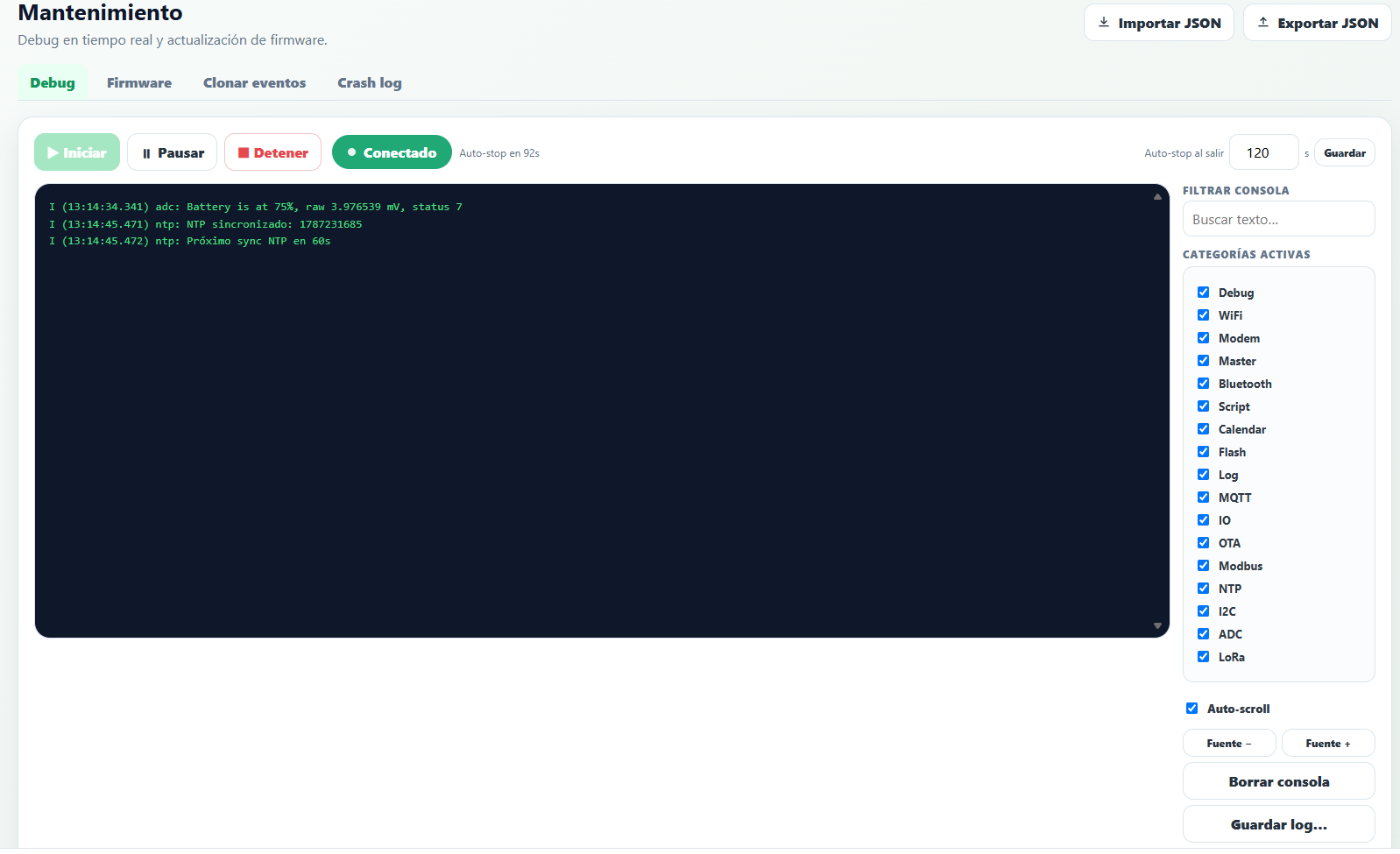
- Start / Pause / Stop — control log capture. As a safety measure, the console has a configurable auto-stop (in seconds) that stops the capture on its own if you forget to stop it.
- Filter console — free-text search over the captured logs.
- Active categories — lets you show only the logs from certain subsystems (WiFi, Modem, Bluetooth, Script, MQTT, IO, Modbus, LoRa, etc.), useful for isolating a specific issue.
- Save log — downloads what was captured to a text file.
Firmware
The Firmware tab lets you update the device's firmware, either from a local file or from a URL.
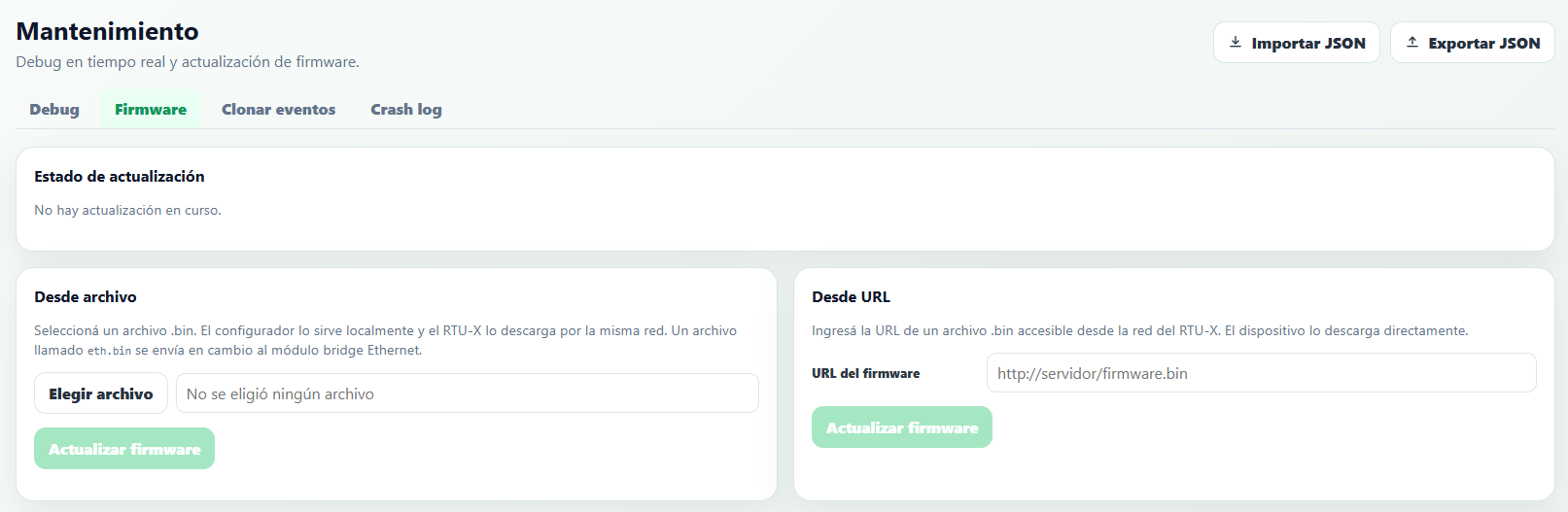
- From file — selects a local
.binfile; the user interface serves it over the network and the RTU-X downloads it. For the Ethernet bridge module, instead, a file calledeth.binis sent. - From URL — enter the URL of a
.binfile accessible from the RTU-X's network, and the device downloads it directly.
See the recommendations in the Downloads section before updating a device in production.
Clone events
The Clone events tab lets you completely replace the connected device's log with the records from a .csv file (for example, exported from the Log section of another device).
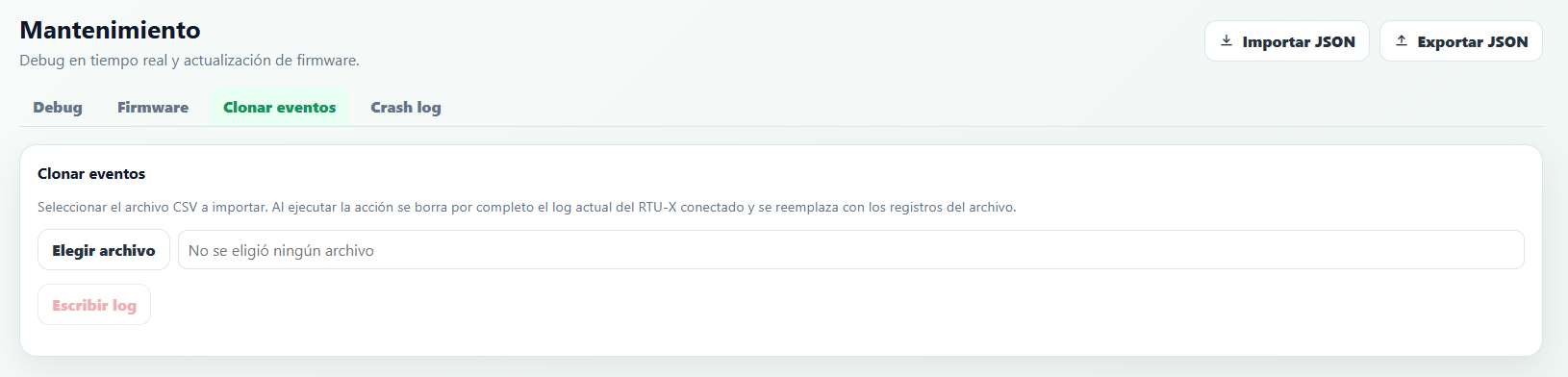
Pressing Write log completely erases the connected RTU-X's current log and replaces it with the records from the selected CSV file.
Crash log
The Crash log tab summarizes the device's most recent restarts caused by a system failure (for example, a watchdog reset).
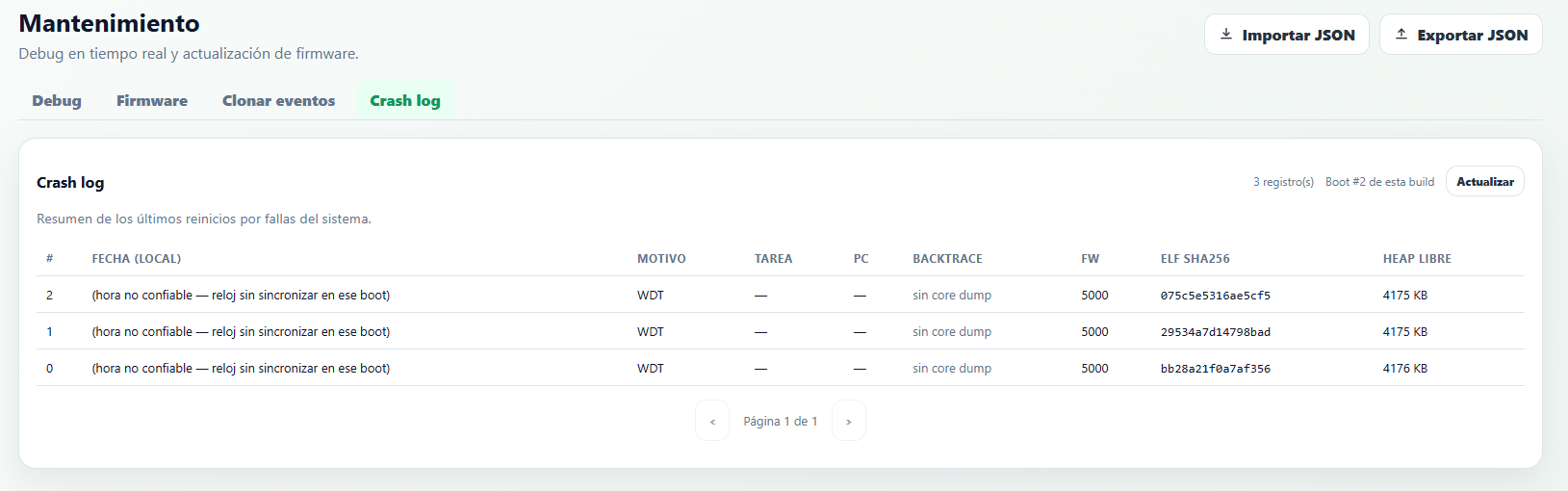
For each restart, it shows the Reason (for example WDT, watchdog timeout), the Task and PC where it occurred (when available), the backtrace, the FW version, the binary's ELF SHA256 hash (to identify exactly which build produced the crash), and the free Heap memory at that moment. This information is useful for reporting failures to Nettra's technical support.